TV backlight
A backlight lights the wall behind a TV with the colors at the edge of its picture. Most such builds capture the picture on a Raspberry Pi or a PC running Hyperion or HyperHDR, with a microcontroller only driving the LEDs. MoonLight captures, maps and drives it on one ESP32-P4, with no computer in between.
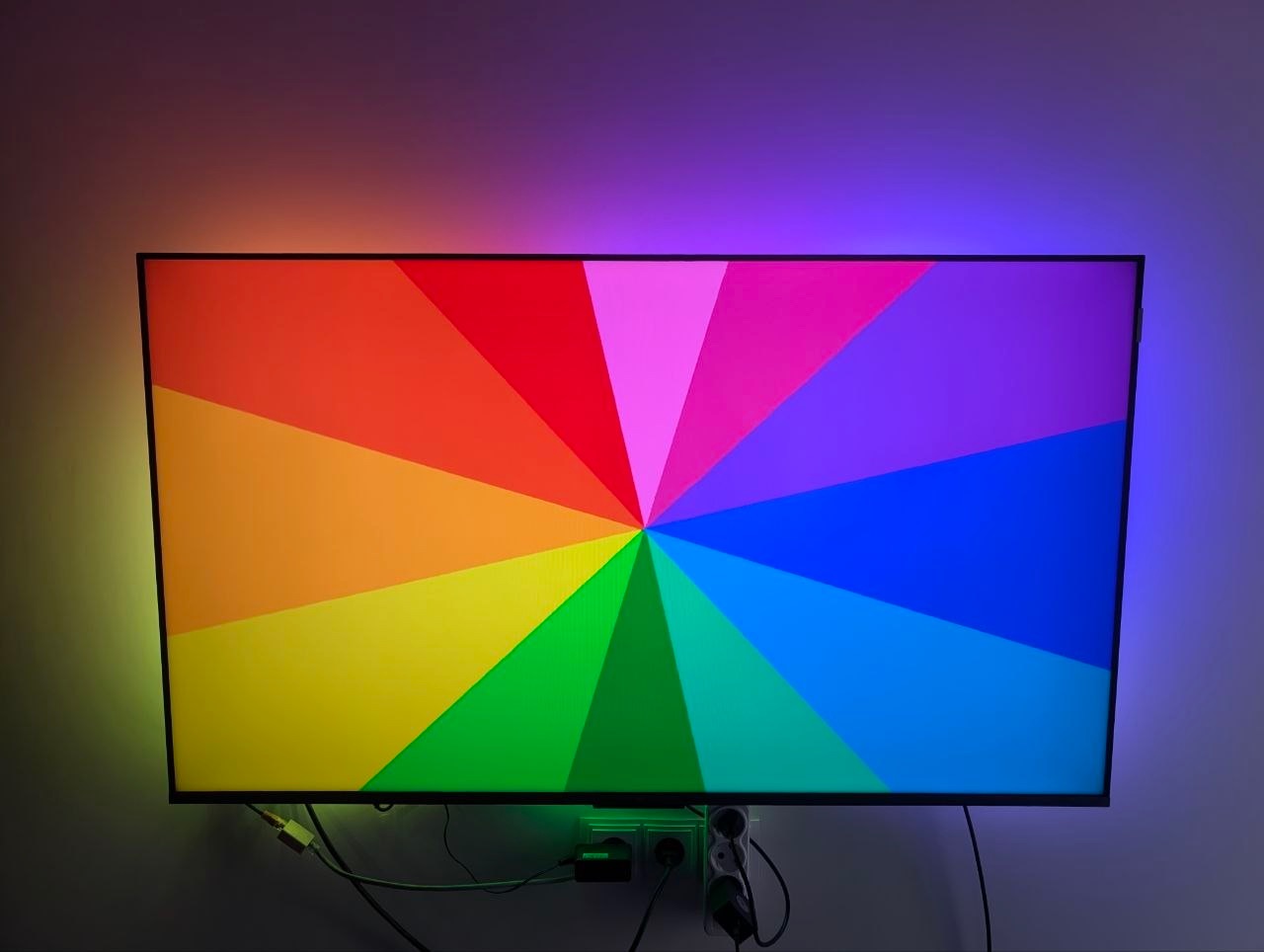
The build in the photo is @Gohnnyman's, who wrote the USB capture (pull request #153).
The parts
- An ESP32-P4 board with a USB port it hosts, such as the Waveshare ESP32-P4-NANO, running the
esp32p4rev1-ethfirmware. The USB capture is in the P4 firmwares only. - An HDMI-to-USB grabber that streams MJPEG, the common MS2109 dongles among them. Grabbers differ: one tested model tinted the picture green at times, and Hyperion's documentation warns about the same one.
- An HDMI splitter, so the TV keeps its own picture while the grabber reads a copy. It decides which modes reach the TV: the one in the photo passes 4K at 120 Hz with HDCP, so streaming services play as before.
- A WS2812B strip along the back of the TV, and a supply for the strip and the board; the photo's build takes both from a USB-C Power Delivery trigger.
The wiring
source (console, player)  →  HDMI splitter  →  output 1  →  TV
                                            →  output 2  →  HDMI-to-USB grabber  →  ESP32-P4 USB port
ESP32-P4 GPIO  →  WS2812B strip
The modules
Three modules do the work, one in each of Services, Layouts and Effects, and an LED driver on the strip's pin outputs it, as for any strip: LED drivers.
- The Picture service, in Services, with
sourceonusb capture. The P4's JPEG engine decodes the grabber's MJPEG and shrinks it towidth×height; a picture a few times the strip's light count per edge, in the TV's aspect, is plenty, such as 64 × 36.noiseFloorturns the grabber's near-black into black, andstaleMsdarkens the strip when the source stops. The Picture service. - The Backlight layout, in Layouts: the MoonLive layout script
backlight.mll.wallCols×wallRowstake the picture's aspect, then come the strip's lights per edge (top,right,bottom,left), agapLengthandgapStartwhere a TV stand covers the strip, and thestartCorner,positionandreversewhere and how the strip enters. It is Hyperion's shape, so a layout copied from Hyperion carries over. - The Picture effect, in Effects on a layer, which shows the picture across the layout and gives each light the color under it.
samplingonareaaverages each light's share,edgeDepthreaches further into the picture, as Hyperion's 8% does,smoothingsettles a noisy source, andsnapAbovelets a scene cut through at once. The Picture effect.
The Backlight layout alone, or beside a panel. Its lights sit on the edge pixels of a wallCols × wallRows wall, and the layer takes the wall's size, so the Picture effect spreads the picture over the wall and each light reads the edge beneath it.
A Grid of wallCols × wallRows before the Backlight layout in Layouts shows the picture on a panel as well, such as a HUB75 panel of the same size. The strip's lights sit on the Grid's own pixels, so the layer stays wallCols × wallRows and an effect renders no extra pixel for the strip: an edge pixel lights its panel light and its strip light alike. The panel's lights come first, which a HUB75 driver takes as its panel, and the strip's LED driver starts after them, its start set to the panel's light count.
Limits
- HDMI-CEC stops at the splitter: the TV and the source do not switch each other on and off.
- Colors come out unbalanced: orange and yellow read greenish, since the Picture service has no channel balance or HDR decoding.