Light supporting modules
The light-domain machinery the catalog modules (effects, modifiers, layouts, drivers) lean on, not directly user-facing. Every row links to its generated technical page (the full API, from the .h) and its tests. Cross-cutting rationale that no single .h owns lives in the prose sections below the table.
| Module | Details |
|---|---|
Layer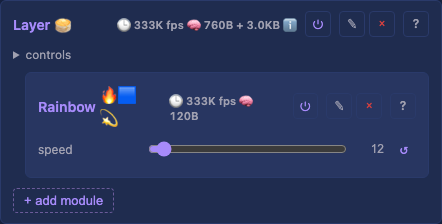 One rendering layer, an effect writes into its buffer, modifiers transform the coordinate mapping, and the layer composites onto the shared output. The unit the render loop iterates. |
blendMode — how this layer composites onto the ones below (overwrite / alpha / additive).Tests: Layer API: reference Details: Layer, details |
Effects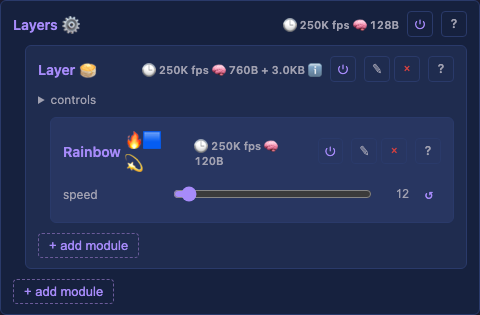 The container of layers, composites them (blend mode + opacity per layer) into the final light buffer. |
— Tests: Effects API: reference Details: none yet |
Layouts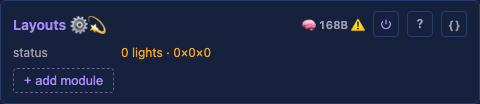 The container of layout modules, walks each layout's coordinates to build the physical light set the mapping consumes. |
— Tests: Layouts API: reference Details: none yet |
Drivers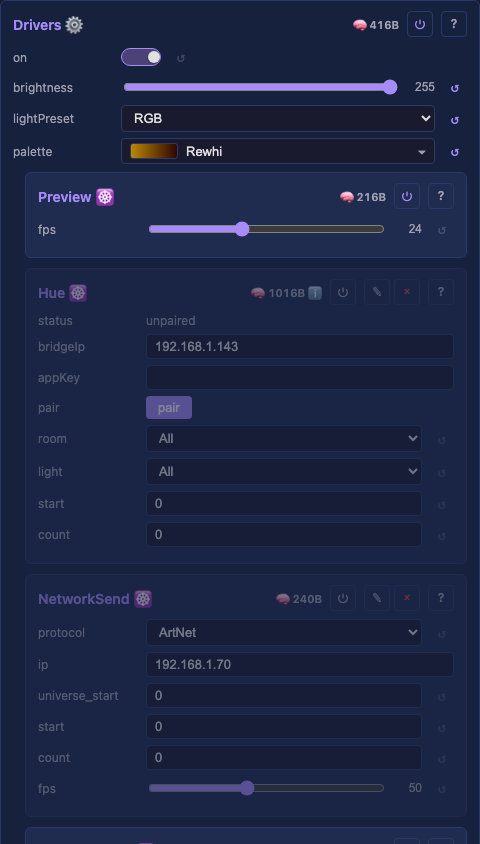 The container of driver modules, owning the shared buffer and the per-light output correction every driver applies before sending. Off scales the output to black while preserving brightness, so switching on restores the level. Every consumer drives it: the UI, infrared, the WLED app, Home Assistant and MQTT. On by default, and it falls back to single-core by itself when the extra frame buffer will not fit. The switch exists to compare the two. Near zero means render and output overlap well, and a large value means core 0 idles on a slow output stage. Shown only while multicore is on. |
on — master power, on by default.brightness — global output brightness, multiplied with each driver's localBrightness.palette — the active palette effects sample from, built in or scripted.multicore — run the output stage on the second core.renderWait — read-only: how long core 0 waited for core 1 at the frame boundary.Tests: Drivers API: reference Details: none yet |
| LightPresets The named channel wirings drivers reference, which channel carries Red, Green, Blue, White, or a fixture role like Pan/Tilt. Real fixtures ship read-only (the color orders, multi-channel pars, moving heads); add your own alongside them. A driver stores a preset's stable id, not its name, so renaming or reordering never breaks a reference. A row carries a name, a channel count, and one role picker per channel. Built-in rows are read-only, and custom rows persist across a reboot. |
presets — the editable list of preset definitions, one row per preset.Tests: none yet API: reference Details: none yet |
| Buffer Contiguous light-data buffer, shared between the layers that write it (effects) and the driver groups that read it. A raw uint8_t* so any channel layout fits, RGB, RGBW, multi-channel DMX. |
— Tests: Buffer API: reference Details: none yet |
| MappingLUT Maps the virtual grid to the physical sparse light set, a radius-4 sphere becomes its 210 real lights, not the 729-cell box. The lookup effects and the preview both consume. |
— Tests: MappingLUT API: reference Details: none yet |
| Scripted palette A palette computed per frame by a script rather than read from a gradient, so an entry can follow audio or drift as an algorithm decides. Owned by Drivers and ticked before the layers render. |
— Tests: Scripted palette API: reference Details: none yet |
| Script particle pool One scripted module's particle pool, with the frame clock that keeps the physics even across a slow frame. Sized by the script's own pool(n) call, so a script that never asks for one allocates nothing. |
— Tests: Script particle pool API: reference Details: none yet |
| Script file One scripted module's script: the file it names, the compiled program, and the content hash that decides when to recompile. Shared by every scripted binding, effect, layout, modifier and palette alike. |
— Tests: none yet API: reference Details: none yet |
| Effect base The EffectBase class every effect derives from, the shared surface (buffer access, dimensions, the palette) an effect renders against. |
— Tests: none yet API: reference Details: none yet |
| Modifier base The ModifierBase class every modifier derives from, transforms the coordinate mapping (mirror, rotate, multiply, …) a layer applies before rendering. |
— Tests: none yet API: reference Details: none yet |
| Driver base The DriverBase class every driver derives from, the shared surface (the driver window, the source buffer, the output correction) a driver reads before sending its slice. |
— Tests: none yet API: reference Details: none yet |
| Layout base The LayoutBase class every layout derives from, the shared surface a layout implements to walk its coordinates into the physical light set the mapping consumes. |
— Tests: none yet API: reference Details: none yet |
| Slot encoder Turns lights into WS2812 bus words: each data bit becomes three bus slots (pulse start / data / tail), and the data slot is an 8×8 bit transpose, lanes in, bit-planes out. Shared by every parallel driver, and the render loop's measured hot spot. |
— Tests: none yet API: reference Details: none yet |
| Pin list Parses the pins and ledsPerPin controls: GPIO lists, and the broadcasting rule that spreads a window over strands (empty = even split, one number = that many each, a list = one per strand). |
— Tests: none yet API: reference Details: none yet |
| Parallel LED driver base The ParallelLedDriver base every parallel WS2812 driver derives from, holding the shared body: strand slicing, the fused correct and encode, the latch pad, and the single-shot DMA transfer. Each driver adds only its peripheral's pieces. |
— Tests: none yet API: reference Details: none yet |
Layer, details
The buffer persists between frames
Nothing clears the buffer per frame, which is the FastLED and WLED convention and the reason trails work at all. An effect can fade what is already there for a tail, or read prior pixels for a scroll or a Game of Life. Each effect owns its background: a full-grid effect overwrites every pixel, a trail effect fades and paints, and a sparse effect that wants a clean frame fills it first. The cold-path rebuild clears once, so a freshly added effect starts black.
A fade is a rate
An effect asks for a fade per reference frame of a sixtieth of a second, and the layer scales it by the fraction of that frame the real frame covered. A trail is then the same length on a 470 fps device and a 140,000 fps desktop. The layer keeps the gentlest request across every fading effect. Several fading effects then cost one buffer pass, and none fades another's fresh pixels.
Compositing is the container's job
blendMode and opacity live on the layer but the layer never reads them: it cannot know its own position in the stack or what sits beneath it. The Drivers container reads both values plus the child order and does the compositing, bottom layer first. Keeping the values here means they travel with the layer through add, delete and reorder, instead of a separate list that drifts out of sync.
Two build paths
The cold path folds the physical box through each enabled static modifier to get the logical box. It then builds the mapping with a counting-sort CSR: one pass counts destinations per cell, a prefix sum turns counts into offsets, and a second pass scatters. A dense grid in natural order with no modifier skips the table and takes an identity mapping, the frame-rate floor for the common case.
What the status line reports
The status shows the logical box the effects render into, which can differ from the physical box on Layouts: a mirror modifier folds a 128 by 128 physical layout into a 64 by 64 logical one. The same slot carries a warning when a build cannot fit in memory, and a warning always wins over the neutral box line.