Light fixtures and DMX nodes: hardware reference
DMX channel maps and specifications for the fixtures and Art-Net nodes on the bench, read from their manuals so a light preset can be built without re-scraping a PDF. A fixture here has a matching entry in the LightPresets library (drivers); the preset is the channel-role layout, this page is where the numbers behind it come from.
SHEHDS Mini LED Moving Head 10W RGBW
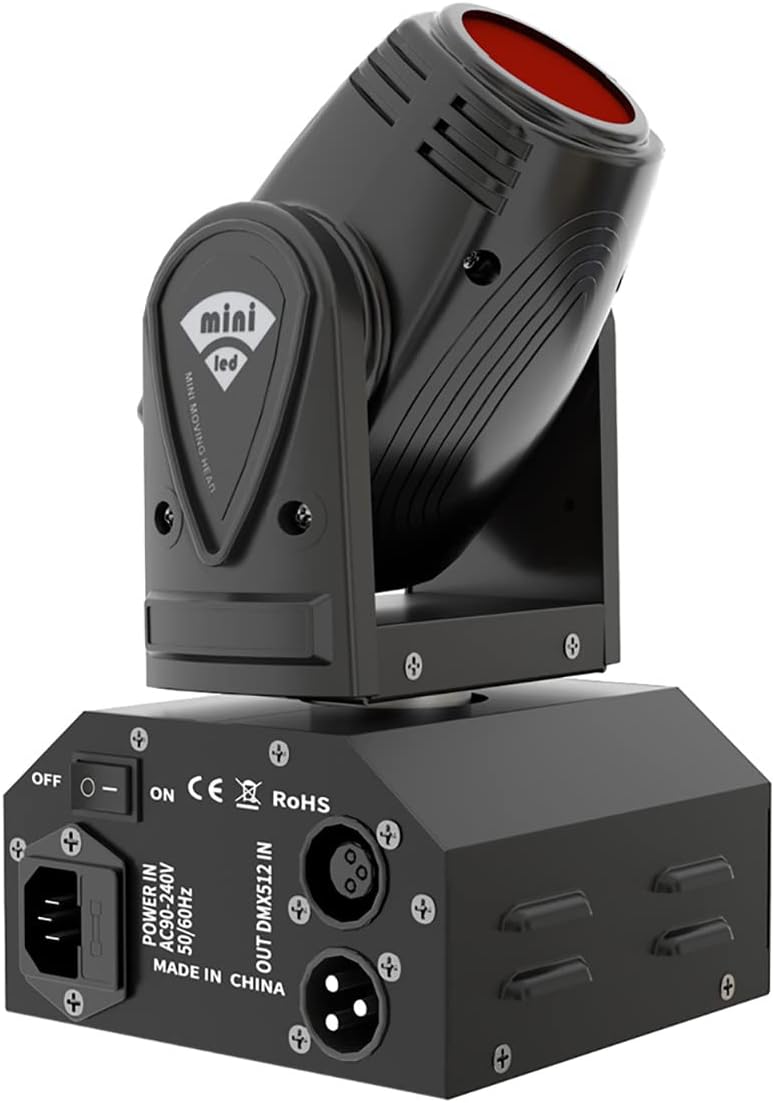
A single 10 W RGBW 4-in-1 LED in a compact moving head: the smallest fixture that exercises the full pan/tilt/color path, which is why it is the first moving head on the bench.
Source: the printed manual supplied with the fixture (channel tables, display menu) · product listing
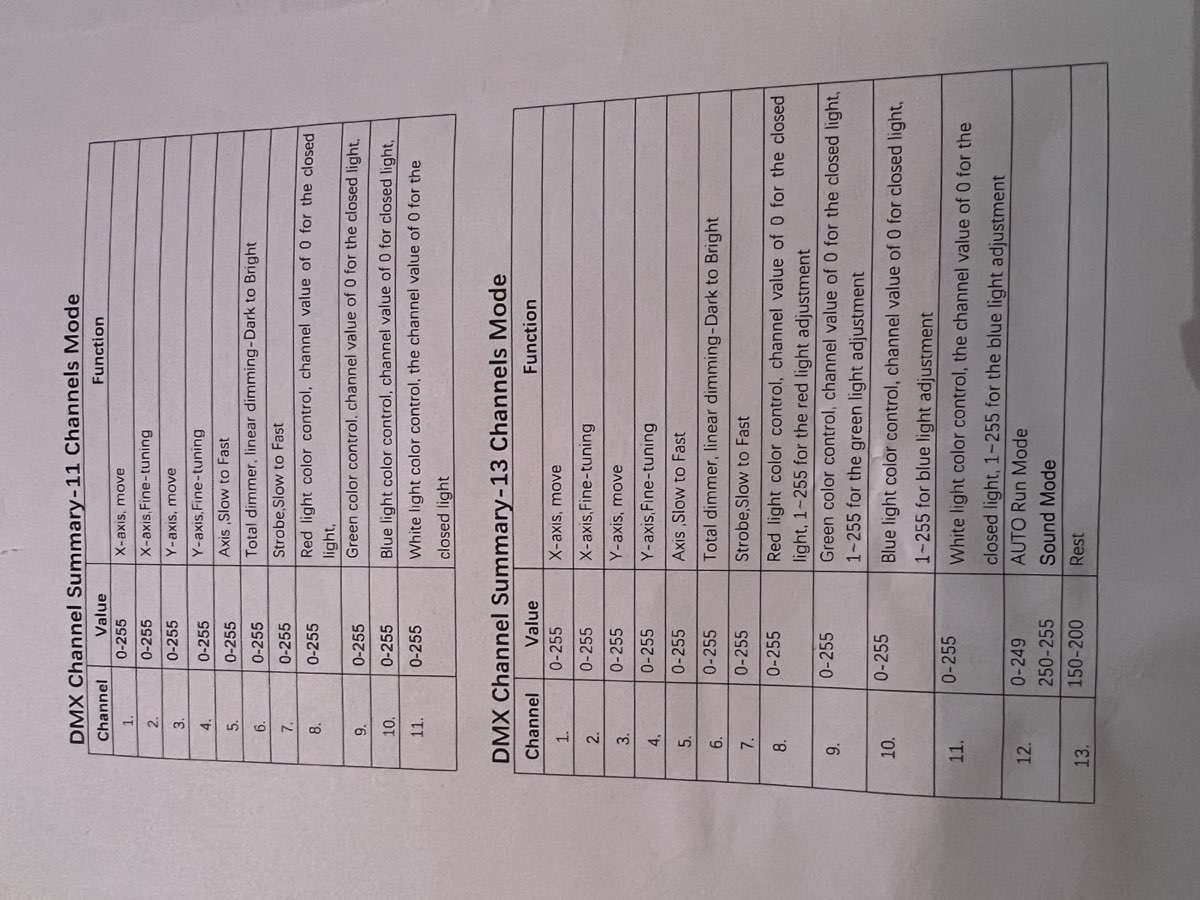
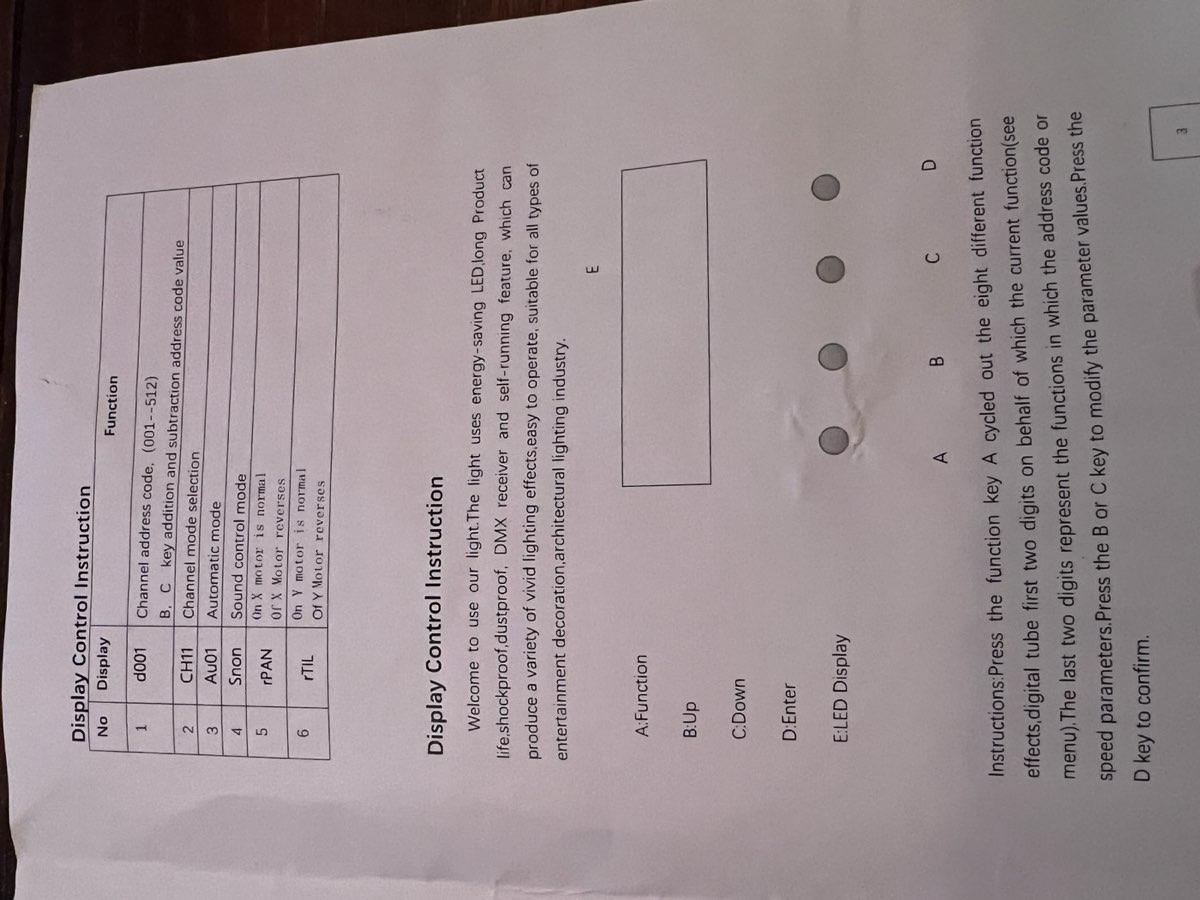
A PDF circulating under this ASIN describes a 9/14-channel fixture with a combined shutter/dimmer. That is a DIFFERENT model: this one is 11/13 channels with a plain linear dimmer and a separate strobe channel. Trust the printed manual; the tables below come from it.
| LED | 1 x 10 W RGBW 4-in-1 |
| Pan / tilt | 540° / 180°, each with a fine channel |
| Dimming | 0-100% linear, separate strobe channel |
| Voltage | AC 100-240 V, 50/60 Hz |
| Control | DMX-512, sound active, auto, master/slave |
| DMX modes | 11 or 13 channels |
| Display | d001 address (001-512), CH11 mode, Au01 auto, Snon sound, rPAN/rTIL axis reverse |
11-channel mode (the projectMM preset)
| CH | Value | Function | Preset role |
|---|---|---|---|
| 1 | 0-255 | X-axis (pan), move | Pan |
| 2 | 0-255 | X-axis fine tuning | (none) |
| 3 | 0-255 | Y-axis (tilt), move | Tilt |
| 4 | 0-255 | Y-axis fine tuning | (none) |
| 5 | 0-255 | axis speed, fast to slow (0 = fastest) | (none) |
| 6 | 0-255 | total dimmer, linear, dark to bright | Dimmer |
| 7 | 0-255 | strobe, slow to fast | (none) |
| 8 | 0-255 | red, 0 = closed | R |
| 9 | 0-255 | green, 0 = closed | G |
| 10 | 0-255 | blue, 0 = closed | B |
| 11 | 0-255 | white, 0 = closed | W |
CH6 is a straight linear dimmer. Today the driver holds it fully open and keeps brightness in the color values; routing brightness onto it is the better model and is backlogged. The channels left unmapped hold at 0, which is what a light driver wants: strobe off (CH7) and full-speed movement (CH5). The fine channels are unused until 16-bit positioning is wired up.
Two things to know when driving it by hand: every channel at 255 makes the fixture strobe, because CH7 is a strobe channel rather than part of the dimmer, and the 13-channel mode's CH12 at 250-255 selects sound mode, in which the fixture ignores DMX movement and runs its own program.
13-channel mode (not used)
The same first 11 channels, plus CH12 (0-249 auto run, 250-255 sound mode) and CH13 (150-200 reset). Both are program modes that take control away from DMX, so the 11-channel mode is the one worth driving from projectMM.
P-Knight Art-Net2 CR021R
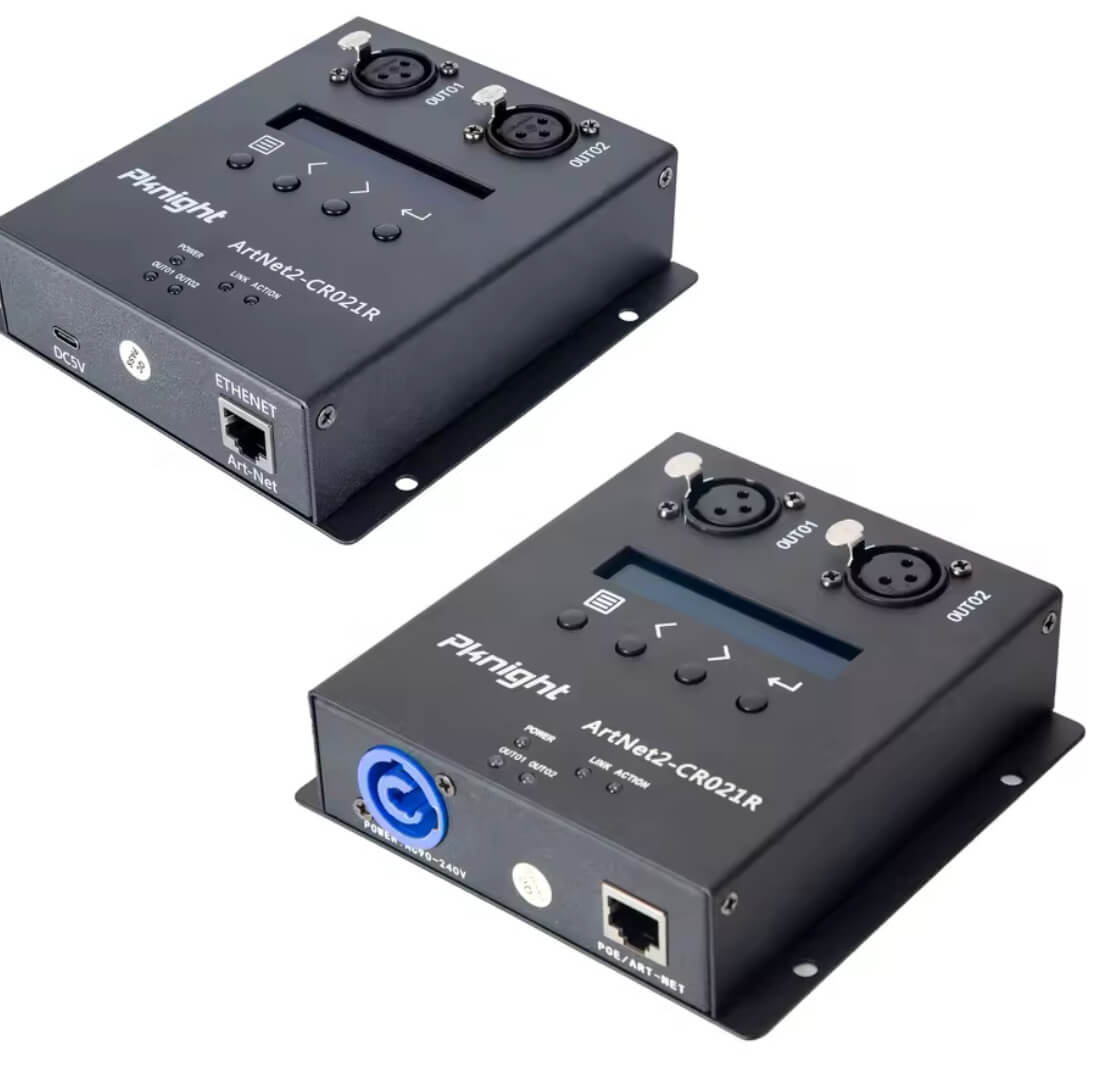
A two-universe Art-Net to DMX512 node: Ethernet in, XLR DMX out. It is how projectMM drives a wired fixture, the counterpart to the LED drivers that speak to addressable strips directly.
| Protocol | Art-Net (UDP 6454) to DMX-512 |
| Universes | 2 |
| Network | 10/100 Ethernet, static or DHCP |
| Bench address | 192.168.1.92 |
| Bench universe | 01 on its display = universe_start 1 in NetworkSendDriver |
Its universe display is 1-based: node 01 is Art-Net universe 1. Set the driver's
universe_start to the number the node shows, not one less. This is the setting that cost a whole
bench session: a universe mismatch is completely silent, because ArtDMX for another universe is
dropped with no error anywhere, and the symptom is identical to a broken fixture, a wrong DMX
address or a closed shutter. Check the universe FIRST when a fixture does not respond, and confirm
it by reading the number off the node's own display.
Note the fixture's own DMX address is 1-based too but starts at slot 1: address a0001 means its
CH1 is DMX slot 1, so an 11-channel fixture at address 1 occupies slots 1-11.
It answers no TCP and no ArtPoll. Verified on the bench: ports 80, 6454, 8080 and 23 are all closed to TCP, and an ArtPoll broadcast draws no ArtPollReply. The node is a pure receiver, so it does not appear in a discovery scan and its address is set from its own display, not over the network. Send ArtDMX to its address and it outputs; there is nothing to query.